
Your own AI content agency, running on your own computer.
Seven AI employees take each short-form video from idea to a ready-to-post package, and you get the full source code to make it your own.
Runs on your own Claude Pro or Max plan · Mac & Windows
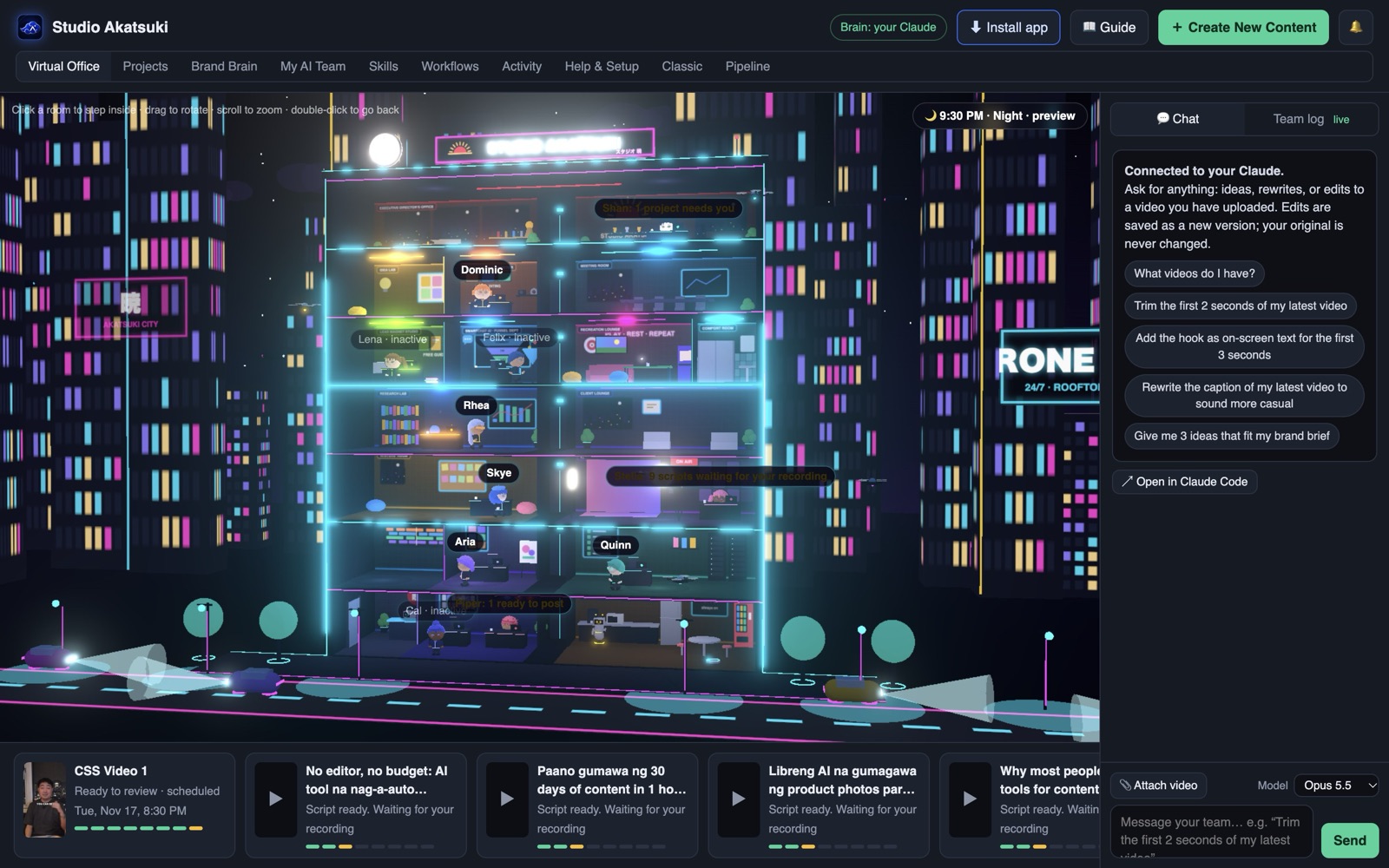
One good short video is a whole team’s worth of work.
Making one good short-form video means research, a script, recording, editing, captions and posting. It’s too much for one person — so most creators post less than they want to.
Your AI agency — from idea to ready-to-post package.
Studio Akatsuki runs seven AI employees that work together like a small content team. Here’s how a project flows:
Tell Shan what you want
Open the “Create New Content” wizard and describe your idea, goal and brand.
Approve the idea & script
Review the idea cards and script. Edit, revise or regenerate any section, then approve before recording.
Record & upload
Record your footage and upload it to the Recording Studio. Your originals are never changed.
Review & request changes
Watch the rendered cut and ask for changes in plain words. Every change is a new version you can compare or restore.
Download your ready-to-post package
Approve, then download a ZIP with the final video, captions per platform, hashtags, disclosure, SRT subtitles and the QA report.
Seven AI employees, one creative team.
Each one has a clear job. Shan brings in only the employees a project needs.
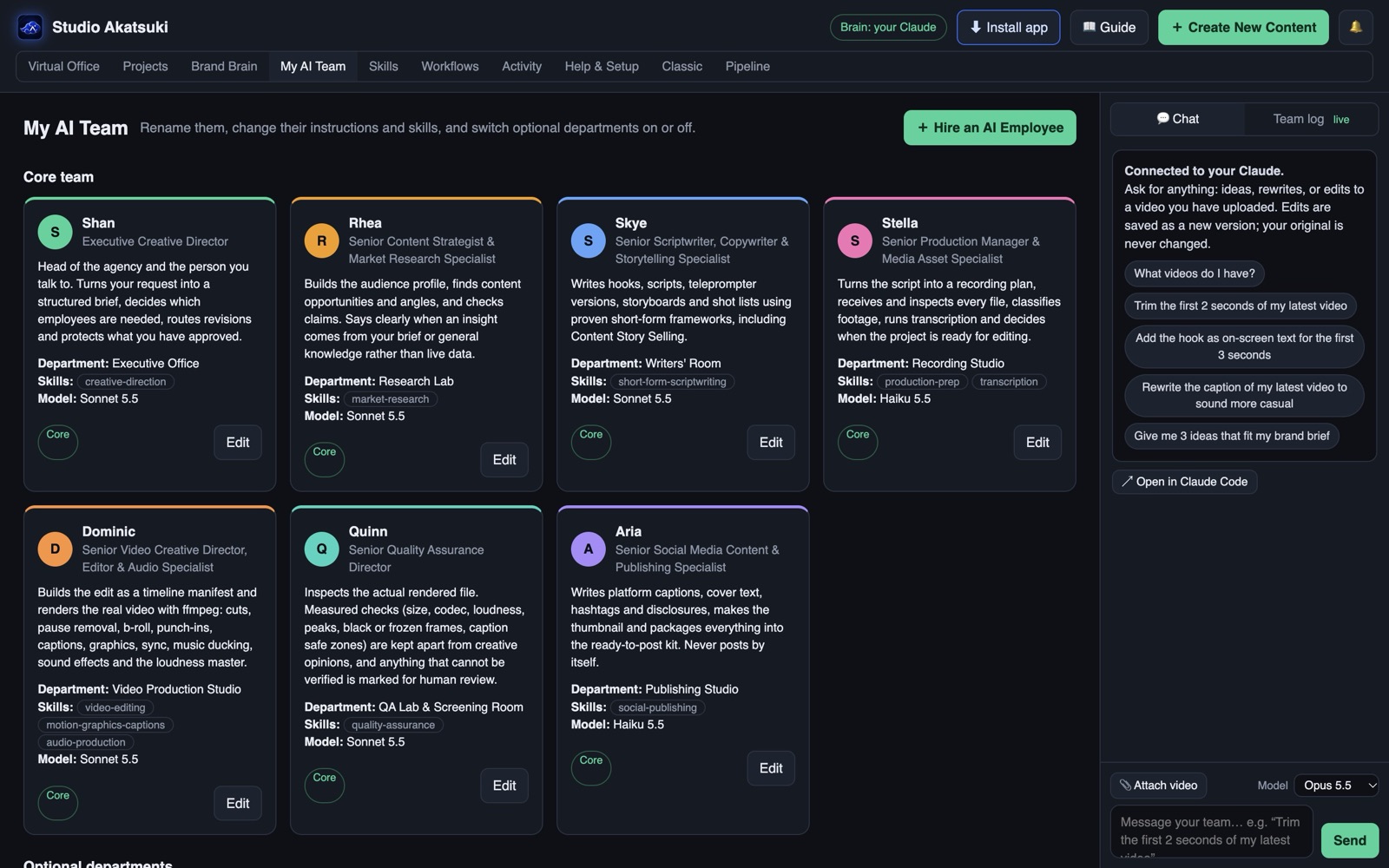
Shan
Executive Creative Director
Understands your request, writes the creative brief, brings in only the employees the project needs, and routes your revisions.
Rhea
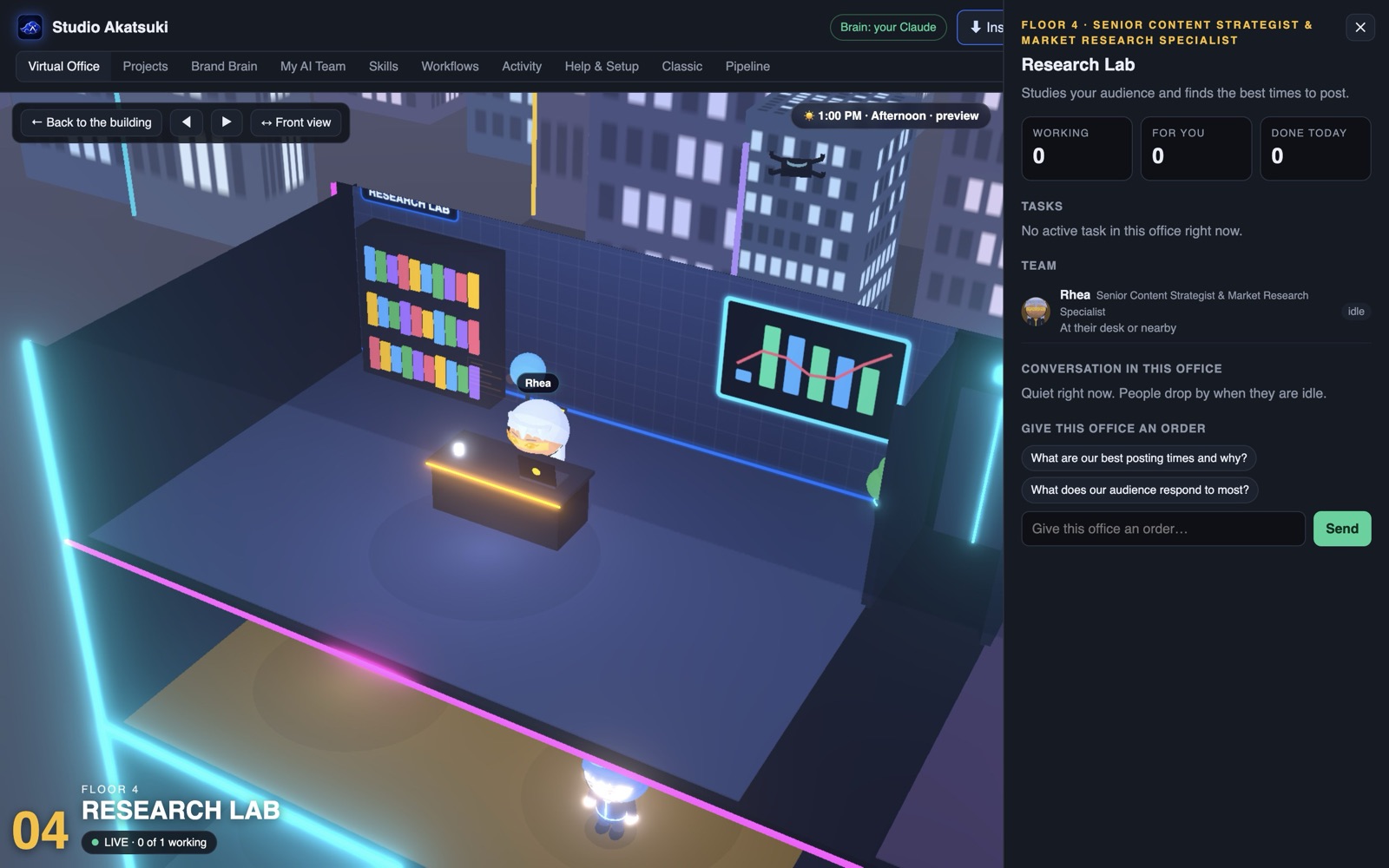
Content Strategist & Researcher
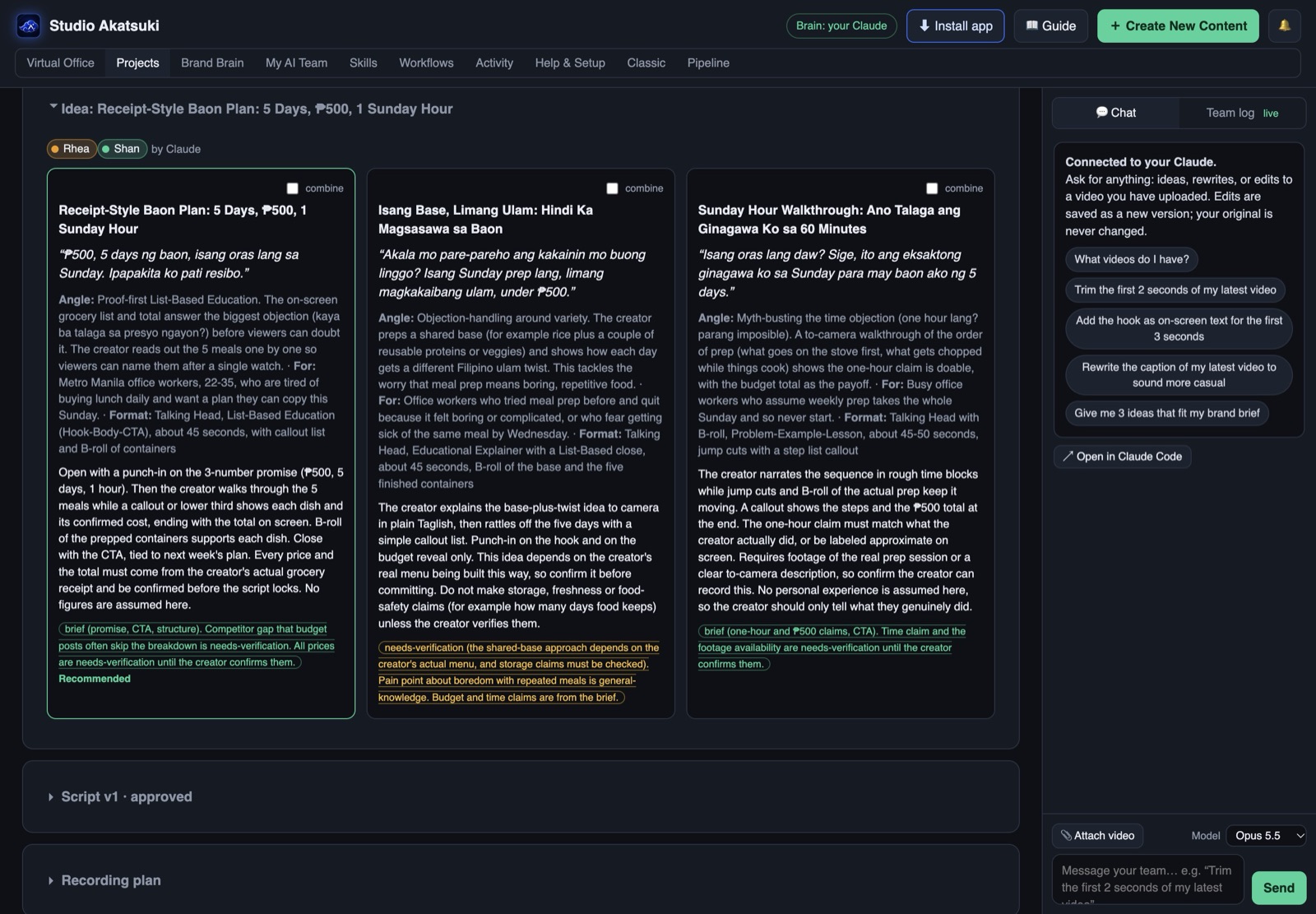
Audience research and 3–5 content ideas, each insight labelled by source. She never invents statistics.
Skye
Scriptwriter
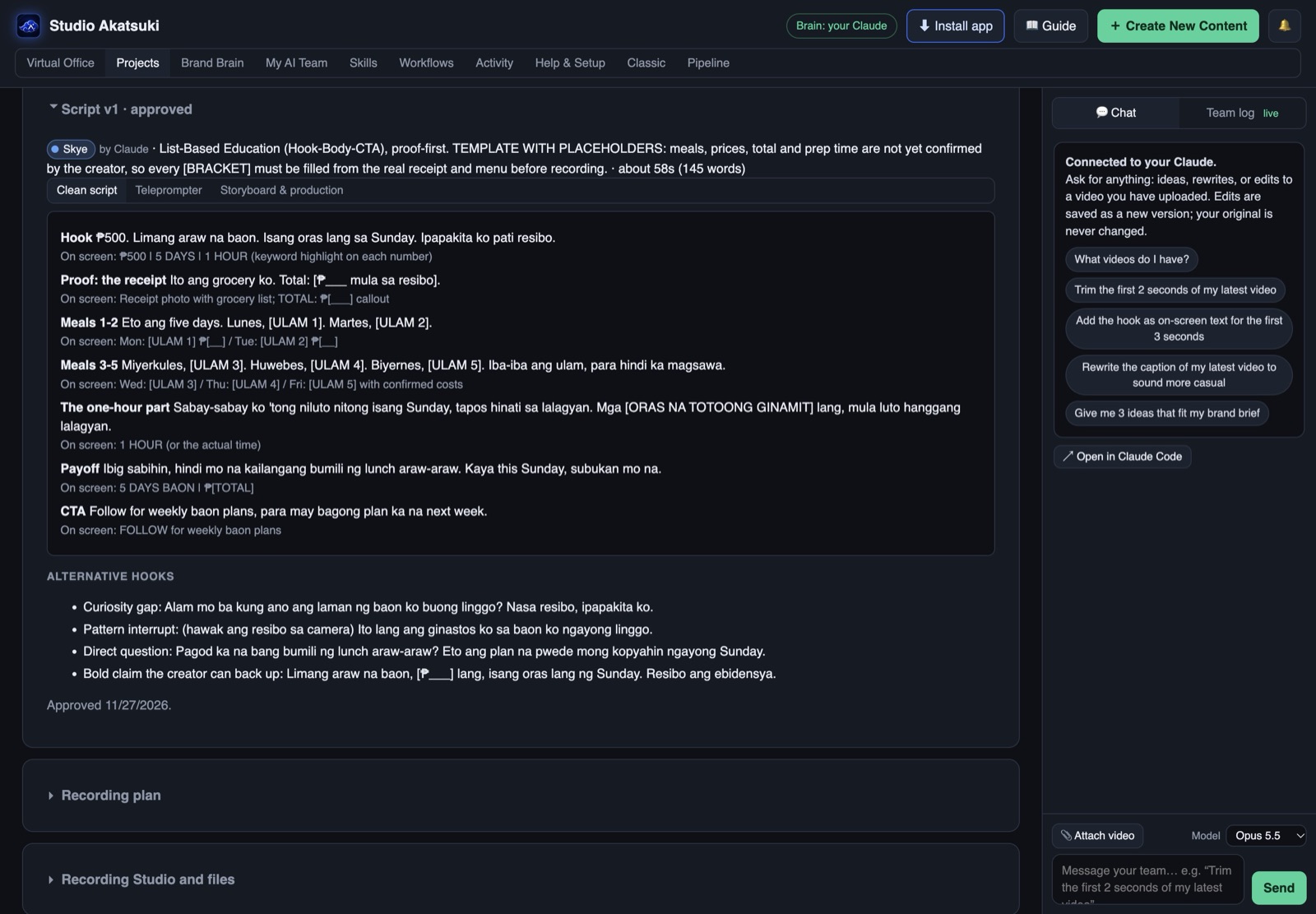
Hooks plus three alternatives, the script, teleprompter version, storyboard and shot list. Uses frameworks like Content Story Selling, PAS and AIDA, and leaves [placeholders] instead of inventing facts.
Stella
Production Manager
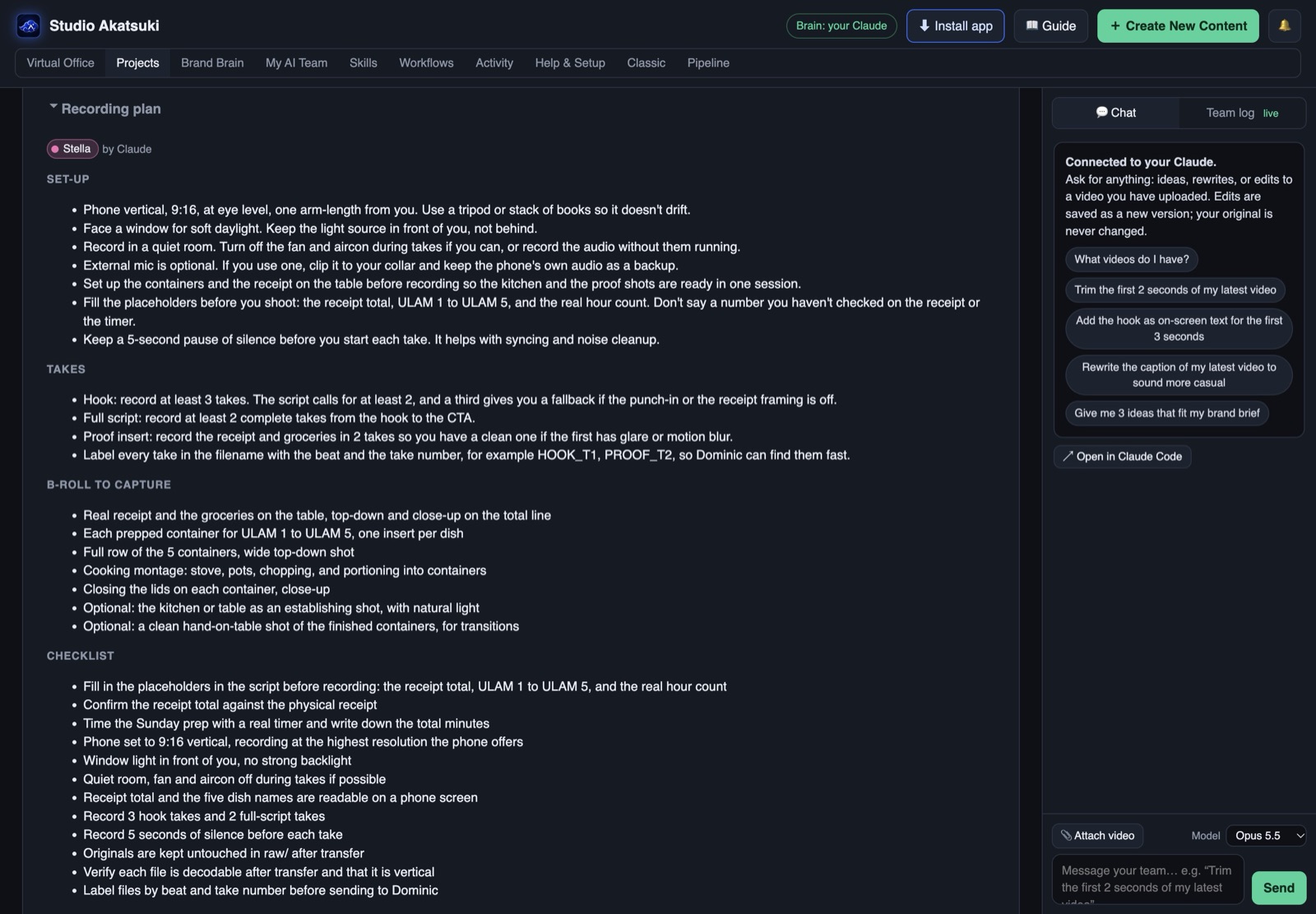
Your recording plan; inspects and organises every file you upload; transcripts.
Dominic
Video Creative Director & Editor
Builds and renders the real edit.
Quinn
QA Director
Checks the actual video file before you see it.
Aria
Publishing Specialist
Captions for each platform, hashtags, disclosures, thumbnail and the ready-to-post package.
Optional departments you can switch on: lead magnet planner, comment-to-DM funnel planner, posting-slot scheduler.
Everything the agency does, built in.
Real planning, real video editing, real quality checks — not just prompts or templates.
Planning
“Create New Content” wizard in 6 steps
Content type (Affiliate/UGC, Talking Head, Mini Vlog), brand, goal, where you are (no idea / idea / script / footage / script + footage / improve a video / just one deliverable), details, output.
Only the employees you need
Someone with a script and footage skips research and scriptwriting — the right people work on each project.
Brand Brain
Multiple brand profiles: voice, audience, colours, fonts, banned words and claims, mandatory CTA, SOPs. Paste or upload a brief (.txt, .md, .docx; .pdf on Mac). Each client’s brand stays separate.
Idea cards
Pick, combine, edit or replace an idea with your own.
Script review
Clean, teleprompter and storyboard views; edit, revise or regenerate one section; approval before recording.
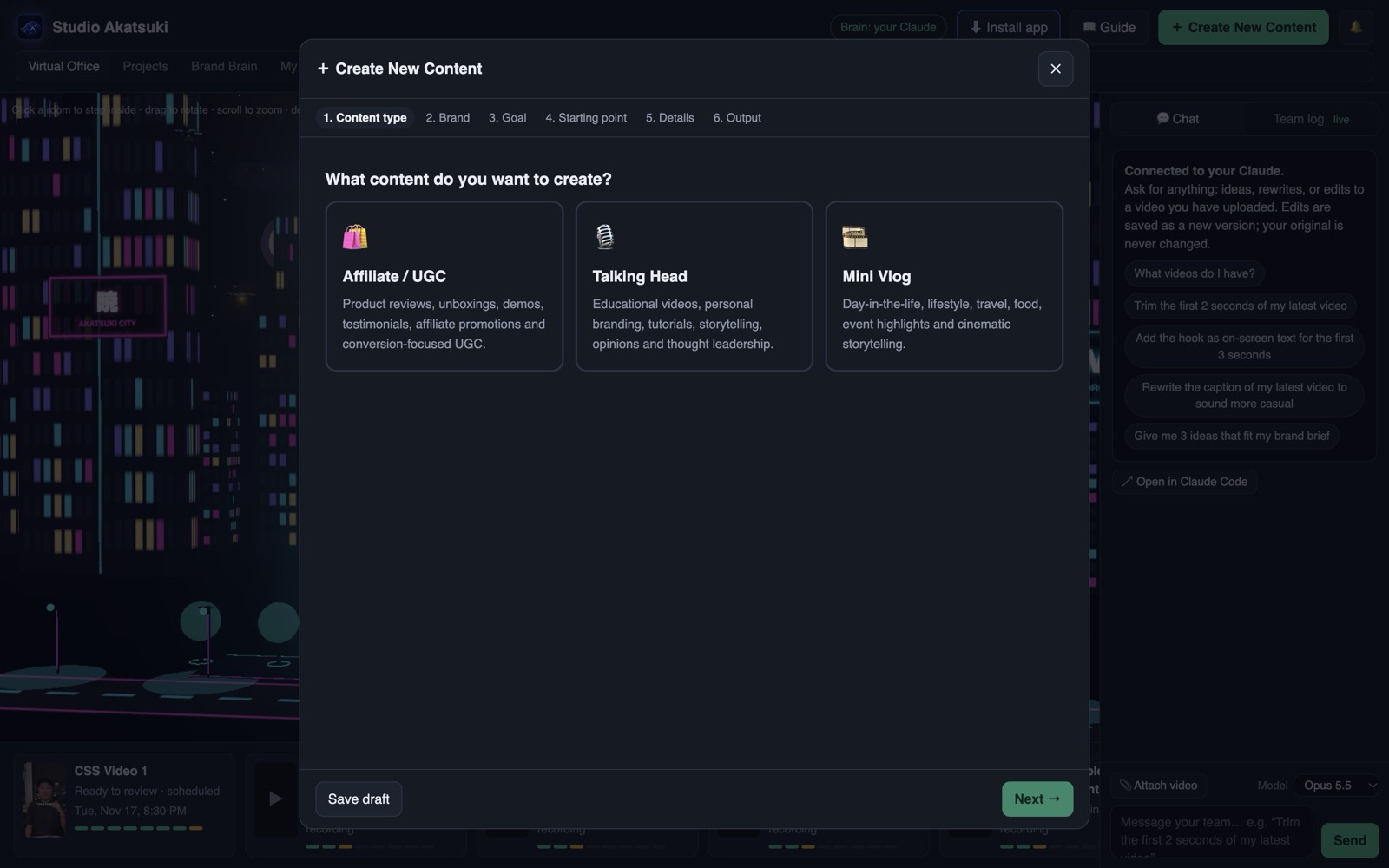
Pick your format first. Each format brings in only the employees it needs — a Mini Vlog skips the research desk a deep-dive UGC review calls in.
Production
Recording Studio
Six upload categories: footage, separate voice recordings, music, sound effects, visuals, references. Your originals are never changed.
Auto-sync a separate mic
Sync an external microphone recording to your video, with a manual slider and preview as backup.
Real edits rendered with ffmpeg
Pause removal, gentle punch-ins, b-roll, colour looks, transitions, background music that dips under your voice, simple original sound effects, loudness mastering to -14 LUFS.
Captions & on-screen graphics
Clean, word-by-word highlight, keyword highlight or minimal captions, plus titles, lower thirds, product callouts and CTA end cards. Word-accurate captions with free local speech-to-text (optional install).
Formats
9:16, 16:9, 1:1 and 4:5.
Wide, moving pad that ducks deep under your voice and swells in the gaps. Mastered to −14 LUFS.
Simulated signal chain for demonstration. Dominic renders the real mix with ffmpeg — music ducked under your voice, mastered to your format's loudness target.
Quality & revisions
QA on the real file
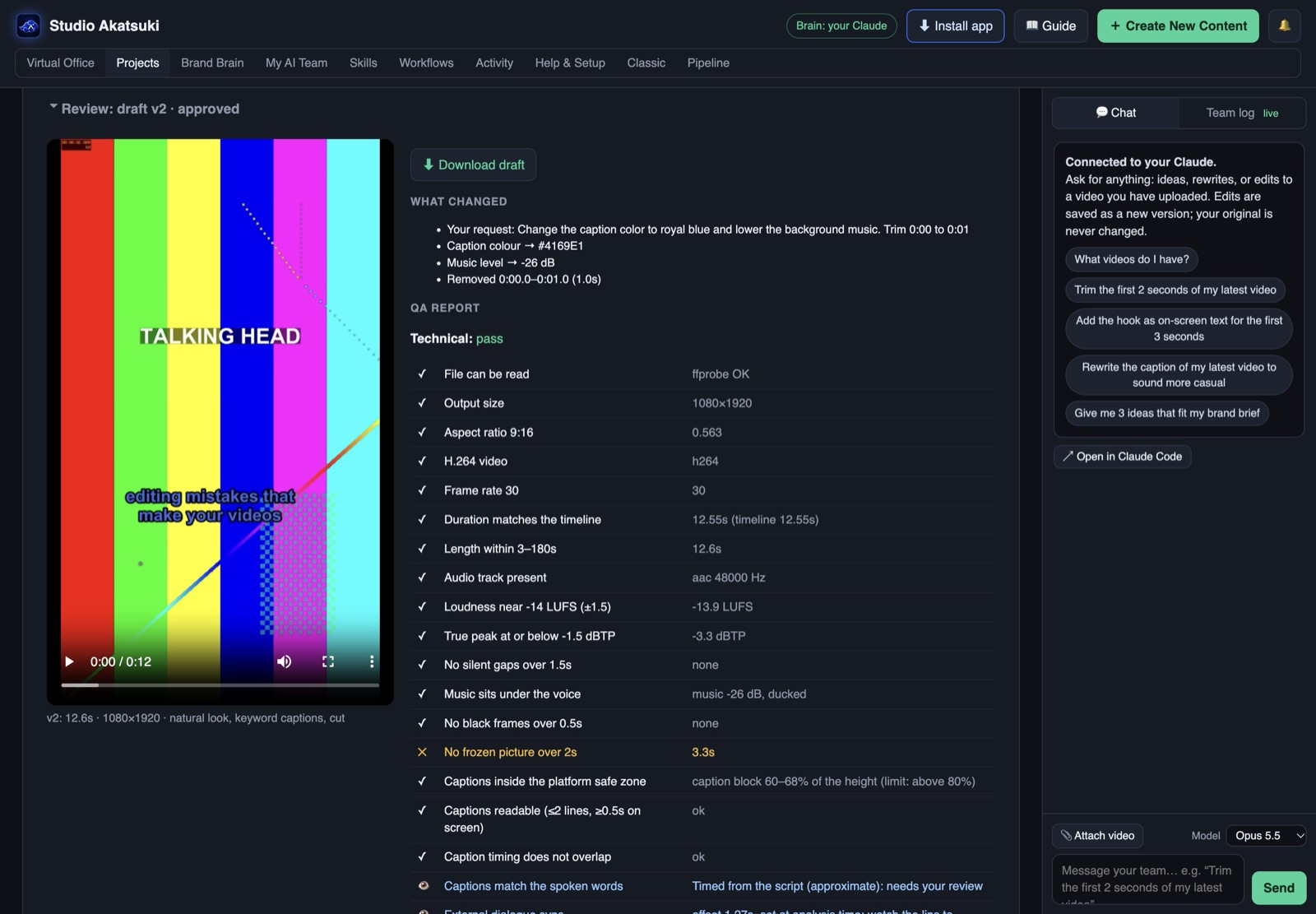
Size, length, loudness, black or frozen frames, caption safe zones and more — plus an AI creative review that’s clearly labelled as an opinion.
Automatic fixes
Automatic fixes for measurable problems (up to 2 rounds).
Changes in plain words
“Make the captions royal blue and lower the music.” Every change is a new version; compare or restore older ones anytime.
Ready-to-post ZIP
Final video, thumbnail and cover, captions per platform (TikTok, Reels, Facebook, YouTube Shorts, LinkedIn), hashtags, disclosure, SRT subtitles, script and QA report.
Make it yours
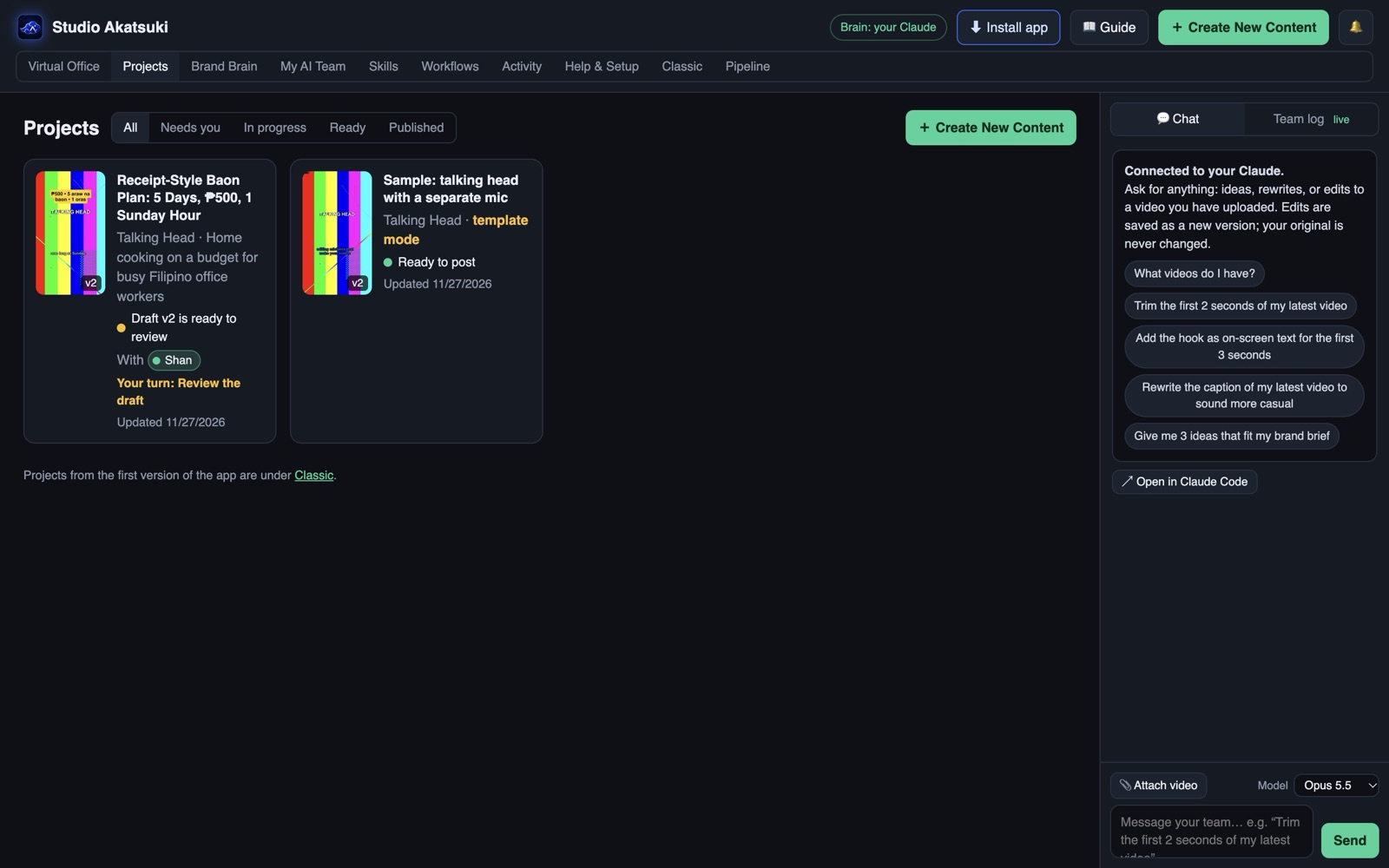
My AI Team
Rename employees and change their titles, instructions, personality, skills and Claude model; switch departments on or off; “Hire an AI Employee” from a description.
Workflows & intelligence modes
A workflows editor and Lite, Balanced and Studio intelligence modes.
Full source code
With instructions for Claude, so you can customise it by describing changes in plain words.
Guides included
A Start Here guide (PDF), a Team Blueprint (PDF) and full documentation.
Experience
A living 3D cyberpunk office
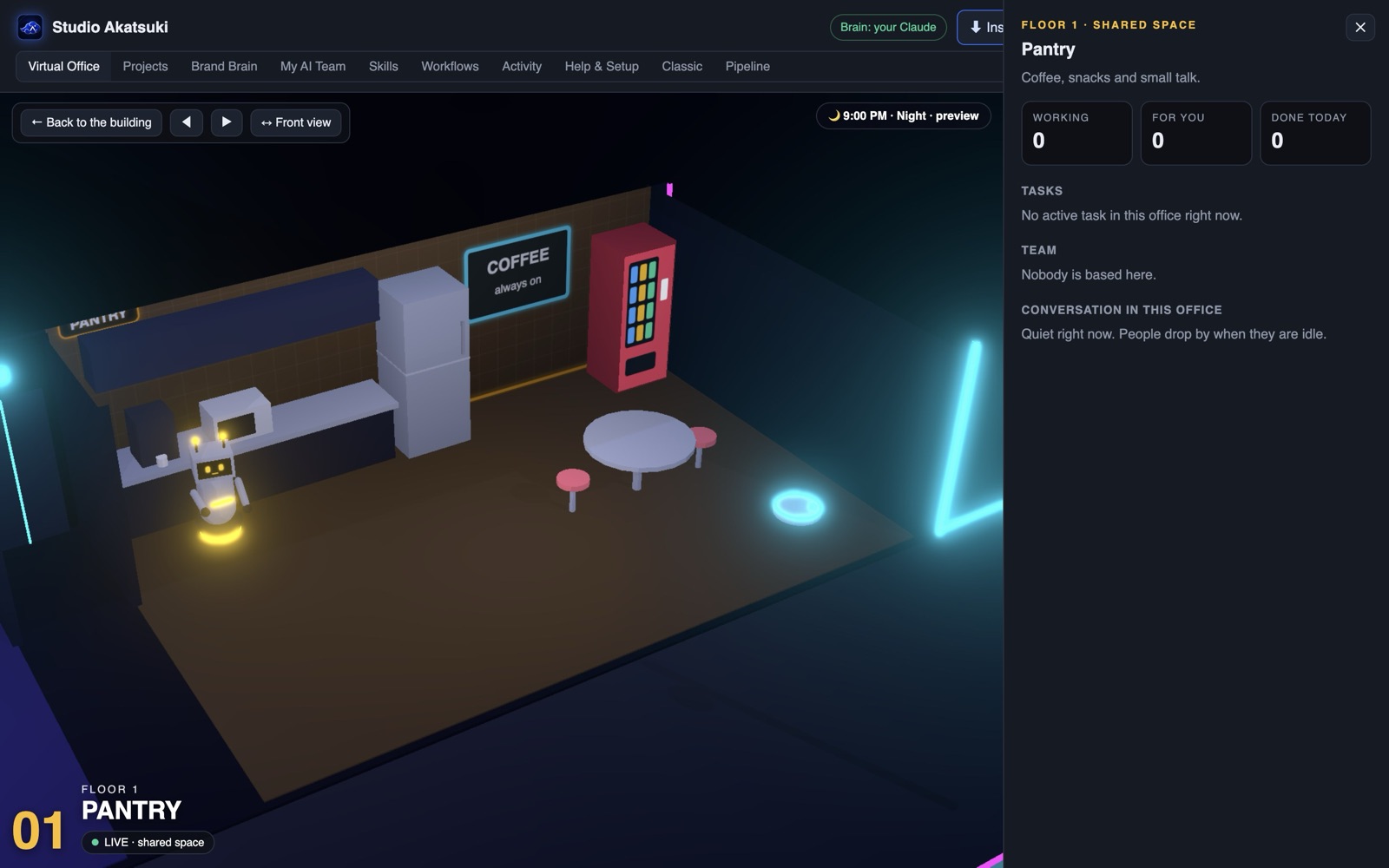
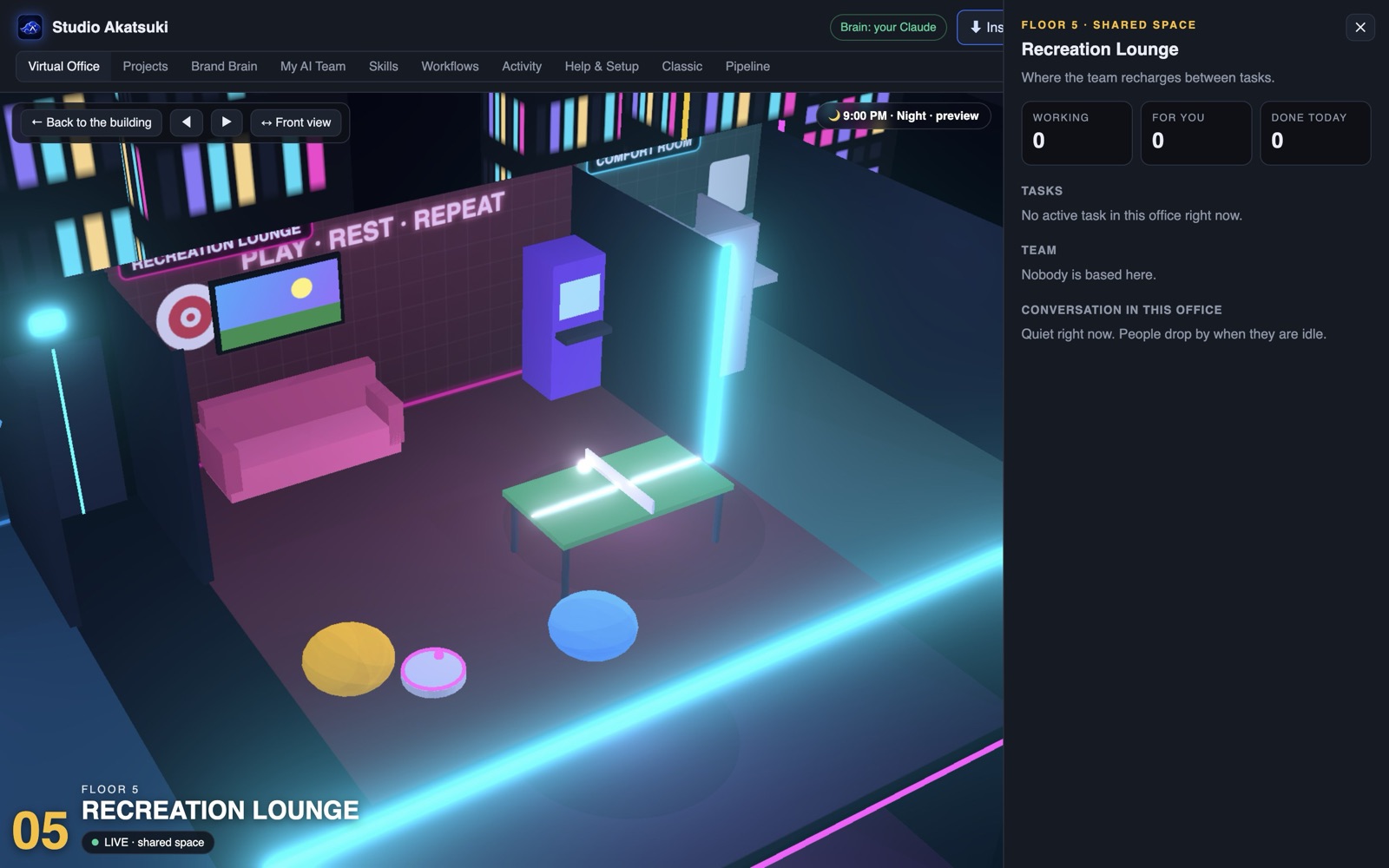
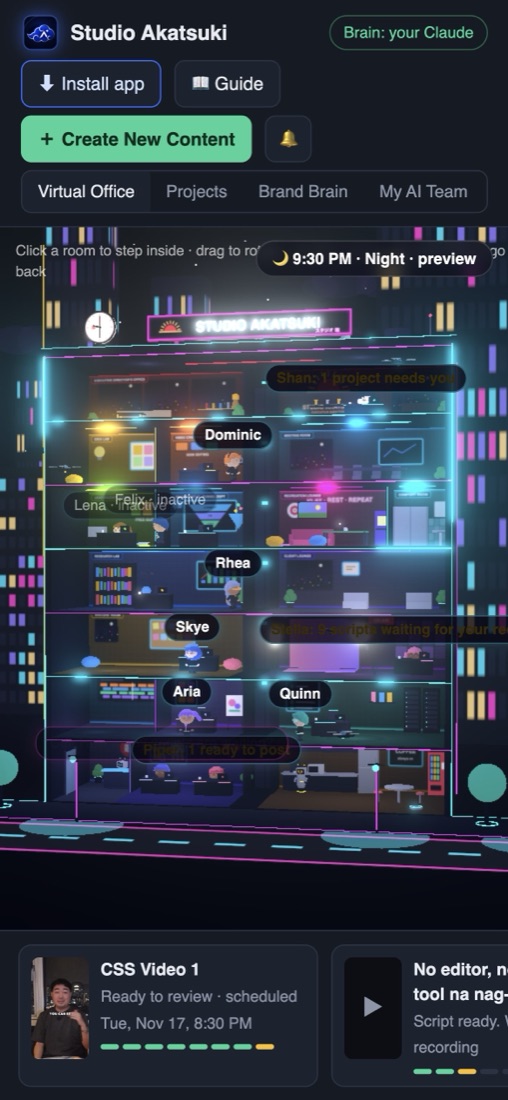
Your AI employees work at their desks, hand work to each other with mini drones, and show live status. Click any room to look inside.
Desktop app
Its own icon on Mac and Windows (Dock / Start menu), plus an “Install app” button in Chrome or Edge.
Chat with Shan
Chat with Shan, your AI director.
Your files stay on your computer
Projects pause safely if you reach your Claude plan’s limit, and resume later.
Rename the team. Change how they work. Rebrand it as yours.
You get the full source code, with instructions written for Claude — so you customise everything by describing changes in plain words. No coding needed.
- Rename employees and change their titles, instructions, personality, skills and Claude model
- Switch departments on or off, and “Hire an AI Employee” from a description
- Edit workflows and pick intelligence modes: Lite, Balanced, Studio
- Rebrand it as your own system for your content and your clients
Ready to use the moment you download it.
Full source code
The complete kit, ready to customise.
Mac installer
One-click installer for macOS 13+.
Windows installer
One-click installer for Windows 10/11.
Desktop app
Its own icon on your Dock or Start menu.
Start Here guide (PDF)
Get running in about 15 minutes.
Team Blueprint (PDF)
How the seven employees work together.
Full documentation
Everything explained, step by step.
Sample project
See a real project from idea to package.
Ready-to-Post Package & Active Queue
When Dominic finishes rendering and Quinn passes QA, your content package is ready: final video, thumbnail and cover, platform captions (TikTok, Reels, Shorts, LinkedIn), hashtags, disclosure tags, SRT subtitles, script, and complete QA report.
What you need to run it.
A Mac or Windows PC
macOS 13 or newer, or Windows 10/11. About 5 GB free. Linux isn’t supported.
Your own Claude Pro or Max plan
Paid separately to Anthropic. AI usage counts against your plan’s limits.
Free tools the installer sets up
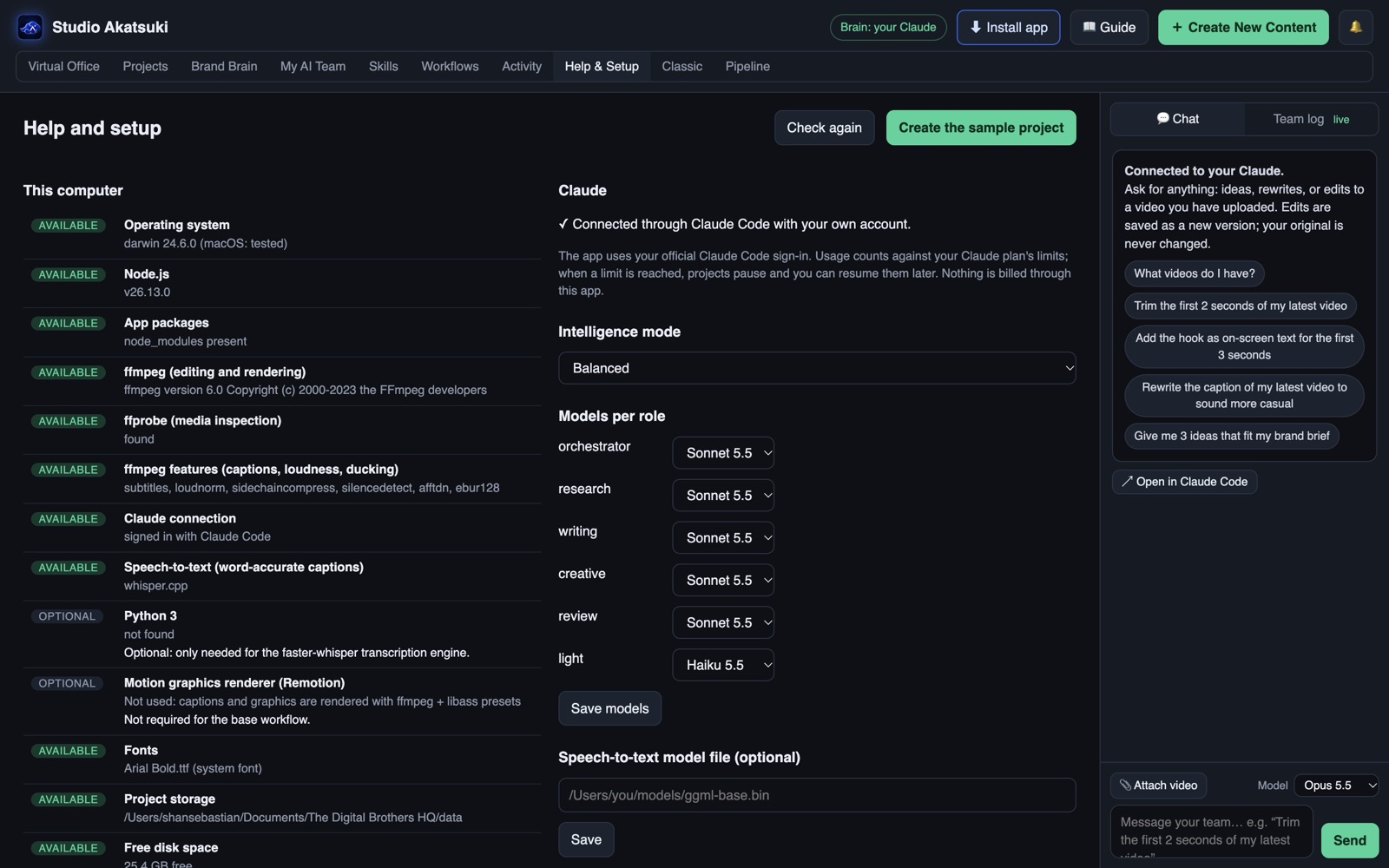
Node.js, ffmpeg and Claude Code are installed for you automatically.
Optional: free local speech-to-text
For word-accurate captions (about a 150 MB download).
About 15 minutes to install
Then you’re ready to start your first project.
One payment. Yours to keep.
Early birds get the deepest discount. Checkout early to lock in the best deal — prices step up as each tier sells out.
Only 2 spots left at ₱499 — then it steps up to ₱999
Real buyers in line — checkout early to lock in the lowest tier. Spots are updated by hand, never auto-counted down.
First 10 buyers
₱10,000
Best deal — only 10 spots at this price.
Buyers 11–20
₱10,000
Still a launch price.
Buyers 21–50
₱10,000
Last launch tier.
After 50 buyers
Regular price. USD 199.
First 10 buyers · one-time payment
Launch spots: 12 of 20 left
Filipino buyers: ₱499 for the first 10, ₱999 for buyers 11–20, ₱1,999 for 21–50, then ₱10,000. Checkout early to get the best deal.
Why it's worth $₱10,000
- One-time payment, not another monthly subscription. You keep the app and the source code.
- It does the work of a small content team: research, scripting, recording prep, editing, QA and packaging — with you as the creative director.
- Real video editing and quality checks built in, not just prompts or templates.
- Shan's frameworks and 13 skill playbooks, built from his hands-on content and editing experience.
- Full source code and a customisable team, so you can build your own version and rebrand it for your content and clients.
- Ready to use: one-click installers, a desktop app, guides, a sample project and an automated test suite.
Studio Akatsuki is an independent product, not affiliated with or endorsed by Anthropic. You need your own paid Claude Pro or Max plan (bought separately). Digital product, delivered as a ZIP. Prices are one-time, in USD or PHP; launch prices are limited and step up as tiers sell out. Refunds: [REFUND POLICY].

Hi, I’m Shan Sebastian.
I’m a content creator, scriptwriter and editor. I designed Studio Akatsuki’s workflows and the 13 professional skill playbooks the AI employees follow — including my signature “Content Story Selling” script framework: Hook → Relatable Story → Conflict or Realization → Valuable Lesson → Natural CTA.
I built my expertise into the agency’s skills. The employees run on your own Claude plan; I didn’t train or build a custom AI model. I wanted a real content team in a download — and now I want you to have it, and to make it yours.
Questions, answered.
No. The installers set everything up for you, and you customise the kit by asking Claude in plain words — you don’t write code.
The fine print.
- Studio Akatsuki is an independent product and is not affiliated with, endorsed by, or sponsored by Anthropic. Claude and Claude Code are trademarks of Anthropic.
- You need your own paid Claude Pro or Max plan, bought separately from Anthropic. AI usage counts against your plan’s limits, and you must follow Anthropic’s terms for your account.
- The app runs on your own computer: macOS 13+ or Windows 10/11. The Mac version is fully tested; Windows support is new. Linux isn’t supported.
- Free third-party tools (Node.js, ffmpeg, Claude Code, and optionally whisper.cpp) are installed on your computer and covered by their own licences.
- The app doesn’t post to social media for you. You review and publish everything yourself.
- AI-generated ideas, scripts, captions and reviews can contain mistakes. Always check them before publishing. You’re responsible for your content, including product claims, affiliate and sponsorship disclosures, and having the rights to any music, footage or images you use.
- No results are guaranteed: no promise of views, followers, virality, sales or income.
- Not included: AI image or video generation, voice cloning, animated charts, or automatic posting. Comment-to-DM automation needs a separate SmartChat AI subscription, which isn’t included.
- Digital product delivered as a ZIP download. Licence: you may use and modify it for yourself, your business and your clients’ content. You may not resell, share, give away or publish the kit or a modified copy of it as a product. Sold as-is; see LICENSE.txt.
- The web demo only shows the 3D office. Projects, editing and AI features run in the desktop app.
- Prices are one-time, in USD or PHP. Philippine buyers: ₱499 for the first 10, ₱999 for buyers 11–20, ₱1,999 for 21–50, then ₱10,000. Non-Philippine buyers: $29 for the first 20, $49 for buyers 21–50, then $199. Launch prices are limited and step up as tiers sell out. Refunds: [REFUND POLICY].
Your AI content agency, today.
Download Studio Akatsuki, install it in about 15 minutes, and put your AI team to work.
Launch spots: 12 of 20 left · from ₱499 · Runs on your own Claude Pro or Max plan